

حالات الاستخدام
صفحات مختصرة قابلة للفهم والاقتباس حسب نوع النشاط
كل صفحة تشرح متى تحتاج النشاطات المختلفة إلى WhatsApp CRM، وما الذي يتحسن بعد الإطلاق، وكيف تتخذ قرار التشغيل بشكل أوضح.
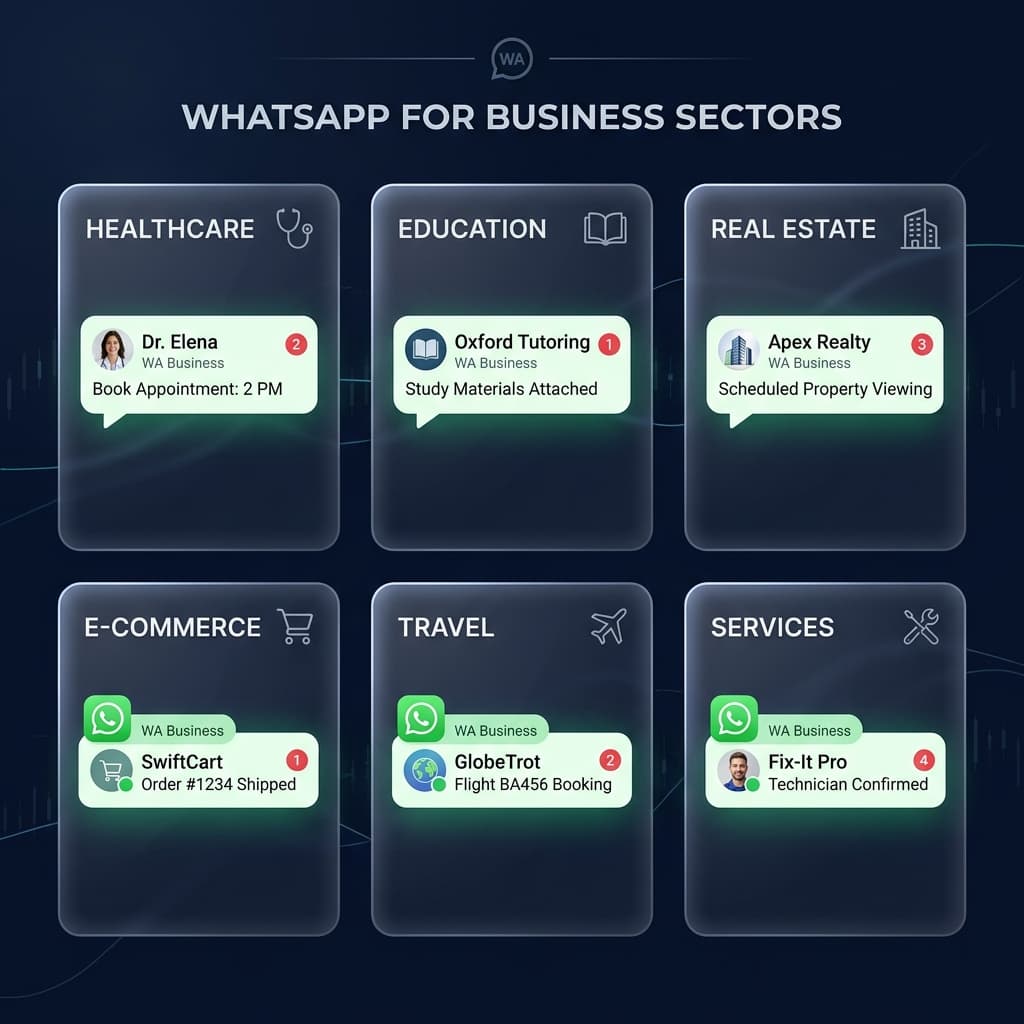
لماذا صفحات الاستخدام مهمة؟
هذه الصفحات تساعد العميل ومحركات البحث ومساعدات الذكاء الاصطناعي على فهم المنتج في سياق حقيقي: مبيعات، دعم، وكالة، عيادة، أو تجارة إلكترونية.
آخر تحديث
٢٥ مارس ٢٠٢٦
تمت المراجعة بواسطة
فريق سكاي ويف لتحرير حالات الاستخدام
- هذه الصفحة تجمع حالات الاستخدام حسب نوع النشاط لتسهيل الفهم والربط الداخلي.
- تمت مراجعة الهيكل ليربط نوع النشاط بطبقة المنتج والخطة المناسبة دون تكرار دعائي.
حقائق تشغيلية سريعة حسب نوع النشاط
هذه المؤشرات تلخص ما تغطيه صفحات حالات الاستخدام الحالية داخل الموقع، وما نوع القرار الذي تساعد عليه.
حالات الاستخدام
9
كل صفحة تربط نوع النشاط بمشكلة تشغيل فعلية بدل الاكتفاء بوصف عام للمنتج.
أنواع الخطط الممثلة
3
طبقة القرار الحالية توزع الأنشطة بين Starter وGrowth وScale حسب الضغط المتوقع.
الأنشطة الحالية
واتساب CRM لفرق المبيعات — ضاعف معدل تحويل عملائك ثلاثة أضعاف · واتساب CRM لخدمة العملاء — حل 3 أضعاف التذاكر بنفس الفريق · إدارة واتساب للوكالات الرقمية — شغّل 50+ حساب عميل من لوحة تحكم واحدة · واتساب CRM للعيادات والمستشفيات — أتمتة 80% من المواعيد والتواصل مع المرضى · واتساب CRM للتجارة الإلكترونية — استرجع عربات التسوق المهجورة وضاعف إيرادات واتساب · واتساب CRM للمدارس والجامعات — تواصل مع الطلاب وأولياء الأمور على نطاق واسع · واتساب CRM للمستشفيات ومقدمي الرعاية الصحية — أتمتة المواعيد والتواصل مع المرضى على نطاق واسع · واتساب CRM للفنادق والمطاعم والسياحة — أتمتة الحجوزات وإسعاد كل ضيف · واتساب CRM للعقارات — اعرض العقارات وتتبّع العملاء المحتملين وأغلق صفقات أكثر
هذه هي أنواع الأنشطة التي لها صفحات Use Case حقيقية داخل الموقع الآن.
منطق الصفحة
نشاط + مشكلة + خطة
كل Use Case يشرح متى تحتاج النشاطات المختلفة إلى CRM واتساب وما الخطة الأنسب للبداية.
الأنشطة المغطاة
هذه هي الكيانات التشغيلية التي نعالجها الآن على مستوى صفحات الاستخدام.
واتساب CRM لفرق المبيعات — ضاعف معدل تحويل عملائك ثلاثة أضعاف
واتساب CRM لخدمة العملاء — حل 3 أضعاف التذاكر بنفس الفريق
إدارة واتساب للوكالات الرقمية — شغّل 50+ حساب عميل من لوحة تحكم واحدة
واتساب CRM للعيادات والمستشفيات — أتمتة 80% من المواعيد والتواصل مع المرضى
واتساب CRM للتجارة الإلكترونية — استرجع عربات التسوق المهجورة وضاعف إيرادات واتساب
واتساب CRM للمدارس والجامعات — تواصل مع الطلاب وأولياء الأمور على نطاق واسع
واتساب CRM للمستشفيات ومقدمي الرعاية الصحية — أتمتة المواعيد والتواصل مع المرضى على نطاق واسع
واتساب CRM للفنادق والمطاعم والسياحة — أتمتة الحجوزات وإسعاد كل ضيف
واتساب CRM للعقارات — اعرض العقارات وتتبّع العملاء المحتملين وأغلق صفقات أكثر
النتائج التشغيلية المتكررة
هذه هي النتائج التي تظهر باستمرار عبر أكثر من نوع نشاط داخل الصفحات الحالية.
زيادة 300%+ في سرعة الاستجابة للعملاء — الذكاء الاصطناعي يرد في 3 ثوانٍ، قبل أن يقرأ المنافس الرسالة
صفر ضياع للعملاء — كل استفسار من كل حملة إعلانية يُسجّل ويُوزَّع ويُتابَع تلقائياً
رؤية كاملة لخط المبيعات — المدراء يرون مرحلة كل صفقة وآخر رد وتاريخ الخطوة التالية بنظرة واحدة
تقليل 90% في عمل المتابعة اليدوية — تسلسلات تلقائية تتولى التذكيرات وإعادة التفاعل
معدل فتح 98% للحملات الجماعية — تصل العروض الترويجية لآلاف العملاء المؤهلين بدون مخاطر حظر
لوحة أداء الفريق الفورية — حدد أفضل الأداء وأرشد المتأخرين ببيانات حقيقية
إشارات الملاءمة الأوضح
هذه العلامات تساعد العميل على معرفة أن الصفحة تخصه قبل أن يدخل في التفاصيل.
فريق المبيعات يشغّل إعلانات على Meta أو سناب شات أو تيك توك وعملاء واتساب يتدفقون طوال اليوم — وغالباً يبردون قبل رد أي ممثل
عدة ممثلي مبيعات يشتركون في نفس رقم واتساب والعملاء يتكررون أو يُتجاهلون أو يُعالَجون بشكل غير متسق
مديرو المبيعات ليس لديهم رؤية فورية لأوقات استجابة الفريق أو الصفقات المفتوحة أو معدلات التحويل
المتابعات تضيع — العملاء الذين قالوا 'سأفكر في الأمر' لا يُتواصل معهم أبداً مجدداً
تريد إرسال حملات بث ترويجية لقاعدة بيانات العملاء المحتملين والحاليين لكن تخاف من تعليق الحساب
فريق الدعم يستقبل مئات الرسائل على واتساب يومياً ويعاني من الرد خلال وقت مقبول
واتساب CRM لفرق المبيعات — ضاعف معدل تحويل عملائك ثلاثة أضعاف
الخطة: جروثوقّف خسارة العملاء بسبب الرد البطيء والمتابعة الغير منظمة. SkyCRM يمنح فرق المبيعات في مصر والسعودية والإمارات والوطن العربي مساحة عمل احترافية واحدة لاستقبال كل عميل قادم من الإعلانات فوراً، وتوزيع المحادثات على الممثل المناسب، وتتبع كل صفقة في خط المبيعات، وبث العروض لآلاف العملاء — كل ذلك عبر Meta API الرسمي بصفر مخاطر حظر.
خطة Growth تكون غالبًا البداية المناسبة لفرق المبيعات التي تدير براندًا واحدًا أو أكثر بعدة موظفين وتحتاج حتى 5 أرقام واتساب داخل نفس مساحة العمل.
واتساب CRM لخدمة العملاء — حل 3 أضعاف التذاكر بنفس الفريق
الخطة: جروثحوّل دعم العملاء على واتساب من فوضى الردود اليدوية إلى عملية احترافية وقابلة للتوسع. SkyCRM يمنح فرق الدعم تاريخاً كاملاً للعميل في كل محادثة، وذكاءً اصطناعياً يحل 80% من الاستفسارات الروتينية فوراً، وتصعيداً ذكياً للوكلاء البشريين عند الحاجة، وتحليلات فورية لأوقات الاستجابة ورضا العملاء.
خطة Growth تكون غالبًا الأنسب لخدمة العملاء لأنها توفر مساحة لرقم رئيسي مع أرقام دعم أو تصعيد إضافية بدون تشتيت رؤية الفريق.
إدارة واتساب للوكالات الرقمية — شغّل 50+ حساب عميل من لوحة تحكم واحدة
الخطة: سكيلمنصة إدارة واتساب المبنية للوكالات الرقمية العربية. SkyCRM يتيح للوكالات تشغيل عشرات حسابات واتساب للعملاء من مساحة عمل واحدة — مع عزل كامل للبيانات بين العملاء وصلاحيات مبنية على الأدوار وفوترة موحدة والامتثال المعتمد من Meta الذي يحمي وكالتك وعملاءك. وسّع خدمات واتساب بشكل مربح دون زيادة فريقك بنفس النسبة.
خطة Scale تكون غالبًا الأنسب للوكالات والفرق متعددة البراندات لأن المشكلة الأساسية هنا هي حجم الحسابات: عدة براندات، عدة أصول Meta، وتنقل متكرر بينها.
واتساب CRM للعيادات والمستشفيات — أتمتة 80% من المواعيد والتواصل مع المرضى
الخطة: ستارترواتساب CRM رقم 1 للعيادات الطبية ومقدمي الرعاية الصحية في مصر والسعودية والإمارات والوطن العربي. SkyCRM يُؤتمت حجز المواعيد وتذكيرات المرضى ومتابعة ما بعد الزيارة والاستفسارات الطبية الروتينية — موفّراً على فريق الاستقبال 5+ ساعات يومياً مع تحسين تجربة المريض بشكل ملحوظ. منصة معتمدة من Meta مع أمان بيانات كامل متوافق مع HIPAA.
خطة Starter تكون غالبًا أنظف نقطة بداية للعيادات التي تبدأ برقم استقبال أو حجز واحد وتريد طبقة تشغيل منظمة قبل التوسع إلى أرقام إضافية.
واتساب CRM للتجارة الإلكترونية — استرجع عربات التسوق المهجورة وضاعف إيرادات واتساب
الخطة: جروثحوّل واتساب لأعلى قناة تحويل ومبيعات لديك. SkyCRM يتكامل مباشرةً مع Shopify وWooCommerce وجميع منصات التجارة الإلكترونية العربية الكبرى لأتمتة تحديثات الطلبات واسترجاع عربات التسوق المهجورة وتوصيات المنتجات والمتابعة بعد الشراء — بمعدل فتح رسائل 98% يتفوق على البريد الإلكتروني وإعلانات التواصل الاجتماعي.
خطة Growth تكون غالبًا نقطة البداية المناسبة للتجارة الإلكترونية لأن المبيعات ومتابعة الطلبات والدعم تحتاج غالبًا أكثر من رقم واحد مع بقاء التشغيل تحت نفس البراند.
واتساب CRM للمدارس والجامعات — تواصل مع الطلاب وأولياء الأمور على نطاق واسع
واتساب CRM رقم 1 للمدارس والجامعات والمراكز التدريبية والمؤسسات التعليمية في مصر والسعودية والإمارات والوطن العربي. SkyCRM يُؤتمت التواصل مع أولياء الأمور وإشعارات الحضور ونتائج الامتحانات وإدارة مجموعات الفصول واستفسارات القبول — موفّراً على فريقك الإداري 4+ ساعات يومياً مع رفع رضا أولياء الأمور إلى 94%. منصة معتمدة من Meta مع خصوصية بيانات آمنة لكل ولي أمر على حدة.
واتساب CRM للمستشفيات ومقدمي الرعاية الصحية — أتمتة المواعيد والتواصل مع المرضى على نطاق واسع
واتساب CRM رقم 1 للمستشفيات والمجموعات الطبية والمجمّعات الطبية والمختبرات ومقدمي الرعاية الصحية في مصر والسعودية والإمارات والوطن العربي. SkyCRM يُؤتمت حجز المواعيد عبر أقسام متعددة وتذكيرات المرضى وتسليم نتائج التحاليل ومتابعة الاستشارات عن بُعد والاستفسارات الروتينية — موفّراً على فرق الاستقبال 5+ ساعات يومياً مع تقليل الغياب حتى 70%. منصة معتمدة من Meta مع أمان بيانات متوافق مع HIPAA وجاهز لنظام PDPL.
واتساب CRM للفنادق والمطاعم والسياحة — أتمتة الحجوزات وإسعاد كل ضيف
واتساب CRM رقم 1 للفنادق والمنتجعات والمطاعم والمقاهي ووكالات السياحة في مصر والسعودية والإمارات والوطن العربي. SkyCRM يُؤتمت الحجز والتأكيد الفوري والقوائم الرقمية وخدمة الغرف وروابط الدفع وجمع تقييمات الخمس نجوم — زائداً الحجوزات 40% ورضا الضيوف 85% مع تقليل الغياب حتى 70%. منصة معتمدة من Meta على القناة التي يستخدمها الضيوف فعلاً، بمعدل فتح رسائل 98%.
واتساب CRM للعقارات — اعرض العقارات وتتبّع العملاء المحتملين وأغلق صفقات أكثر
واتساب CRM رقم 1 للمطورين العقاريين والوسطاء والوكالات ومسوّقي العقارات في مصر والسعودية والإمارات والوطن العربي. SkyCRM يتيح لك إرسال صور وفيديوهات العقارات ومشاركة الجولات الافتراضية 360° وتتبّع ميزانية كل عميل وتفضيلاته وجدولة المعاينات ومطابقة العروض الجديدة تلقائياً بالمشترين المهتمين — زائداً المبيعات 45% وتحويل العملاء المحتملين 35% مع توفير 6+ ساعات يومياً للوسطاء. منصة معتمدة من Meta مبنية للعملاء العقاريين سريعي الحركة.
صفحات مرتبطة تكمل قرار حالة الاستخدام
هذه الطبقة ترتبط مباشرة بصفحة المنتج وصفحات الأسواق وصفحة الأسعار حتى تكون الرحلة منطقية وواضحة للعميل ومحركات الإجابة.